How to use promo codes on Amazon UK
New to Amazon promo codes? Follow these steps to redeem a promotional code today
Promo Code Instructions
Get code from Koupon
Click the "Copy Code" button. Your promotional code will be automatically saved to your clipboard, and you will be redirected to Amazon UK.
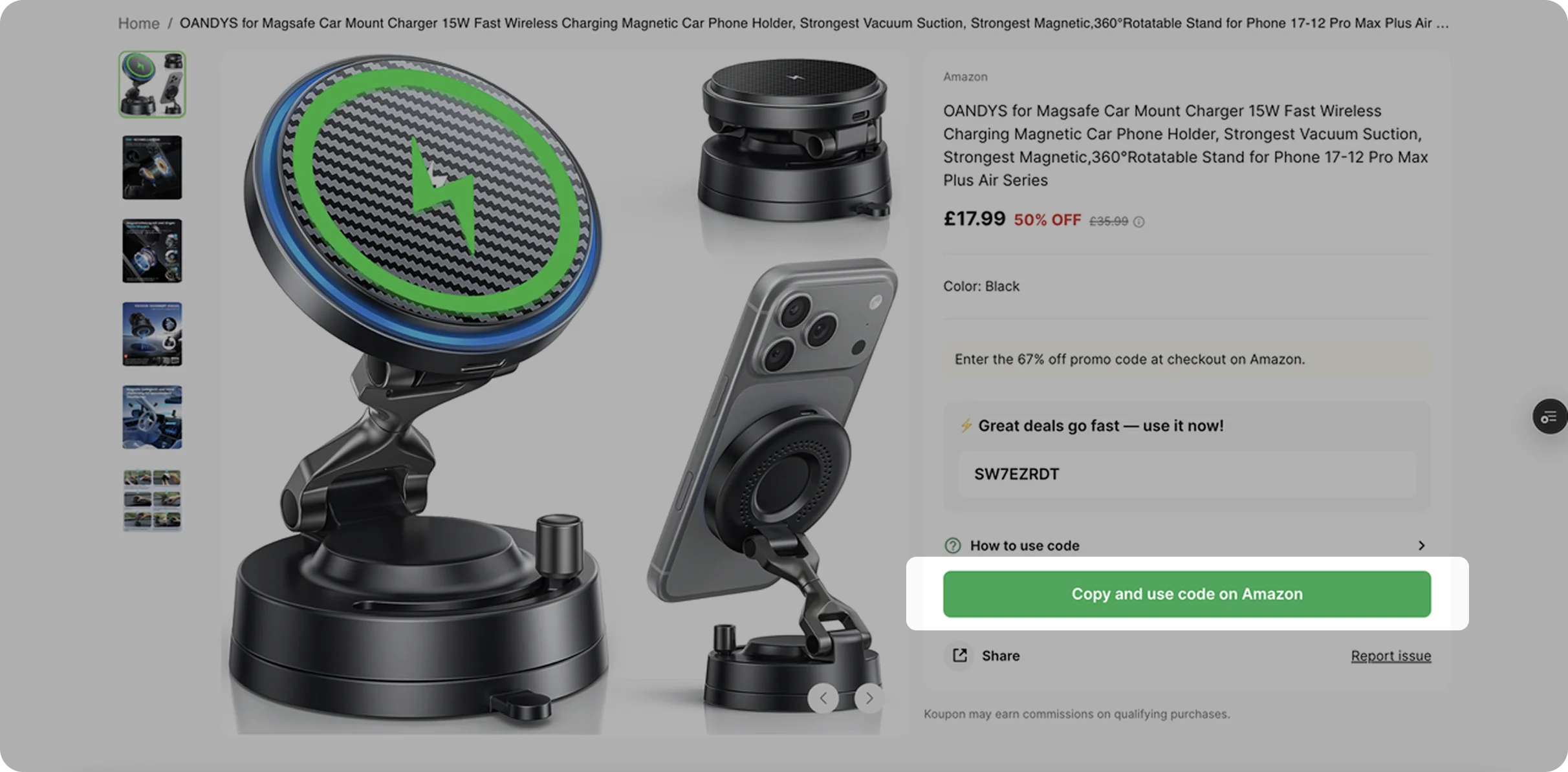
Check out on Amazon
Add the eligible item to your shopping basket and click "Proceed to Checkout." Alternatively, click "Buy Now" to check out directly.
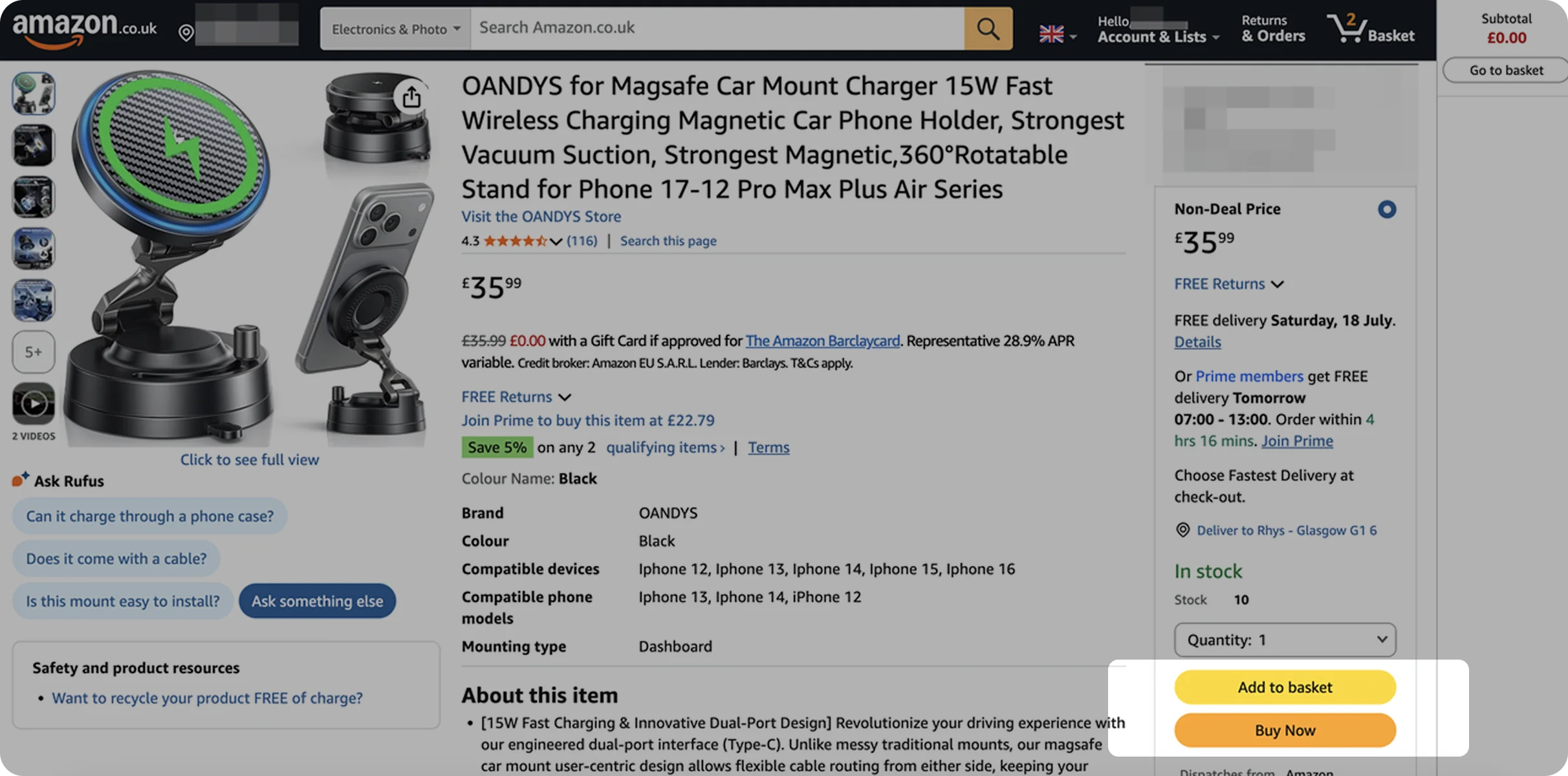
Locate the code box
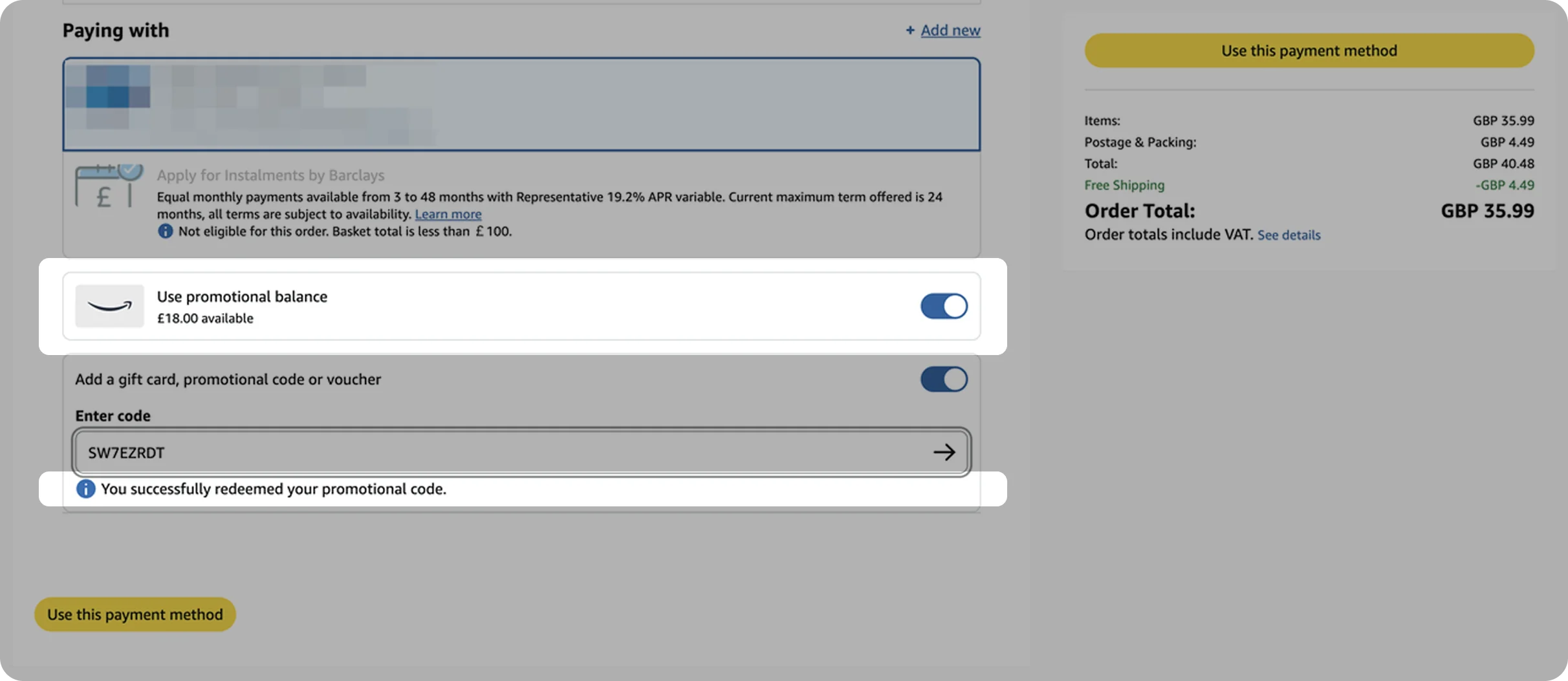
In the "Paying with…" section, turn on the "Use a gift card, promotional code, or voucher" toggle.
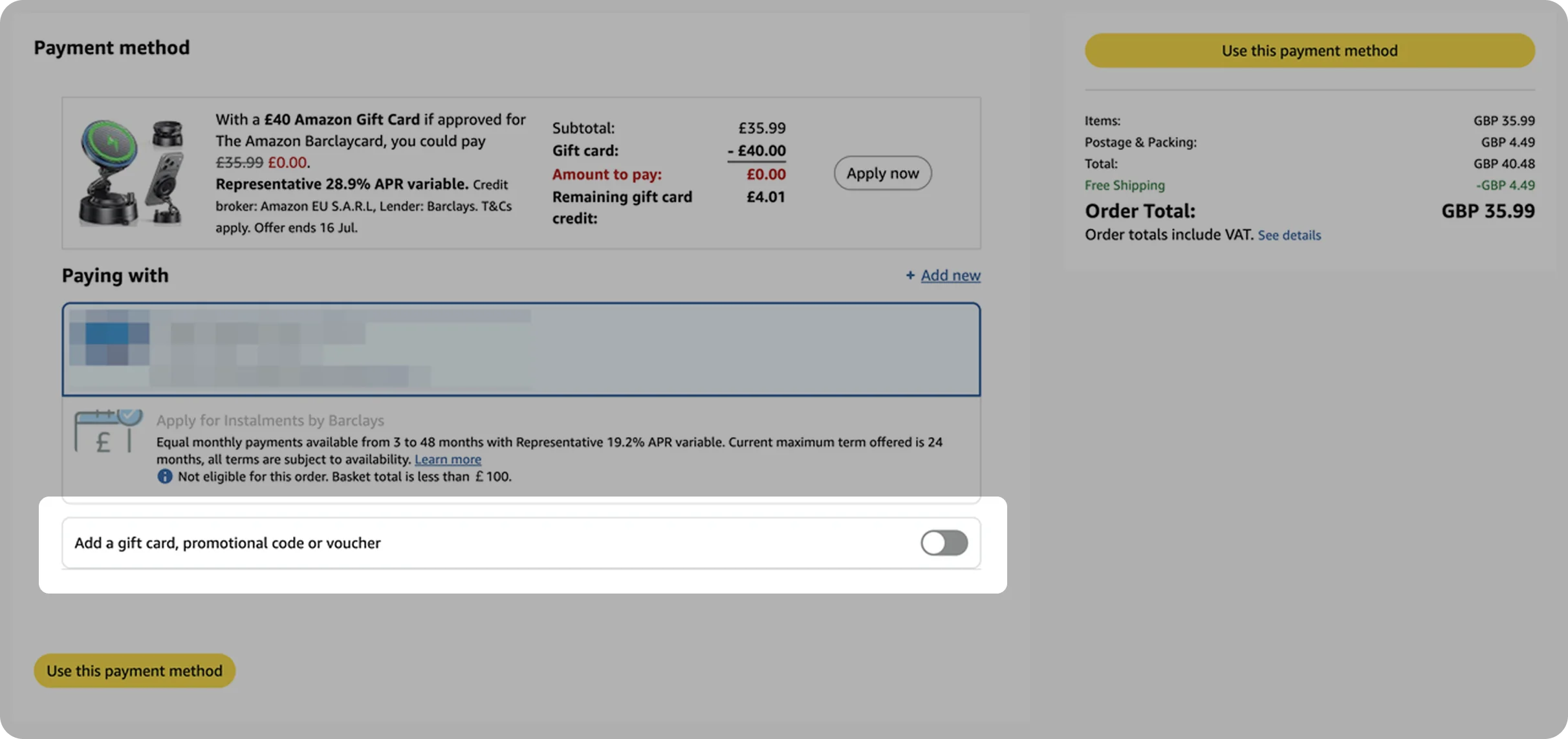
Enter and apply the code
Enter the code and ensure you click the arrow to apply the code.
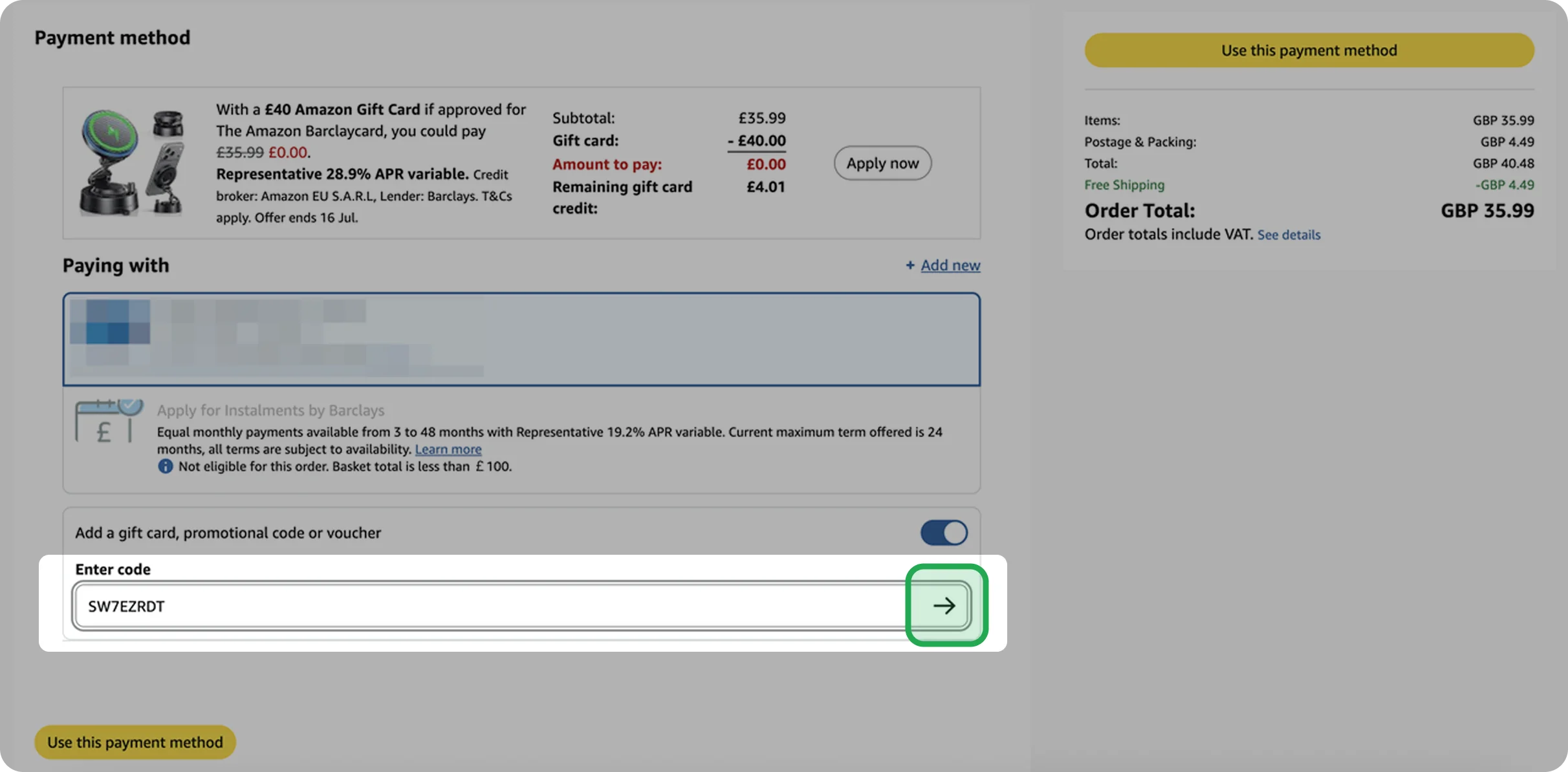
Place your order
Once you see the success message displayed below the code box, click "Use this payment method" and you are all set to enjoy your savings.
Step-by-step video
Tips to keep in mind
- Re-enter the code manually to check for typos.
- Refresh the page, switch Amazon accounts, or change your device (for example, switching from the Amazon shopping app to a desktop browser).
For official terms and further details, you can view Amazon's guidance: Redeem Promotional Codes
Tips to keep in mind
Submit your enquiry via our contact form.
- For a specific deal or offer, you can click the "Report Issue" button on that deal detail page.